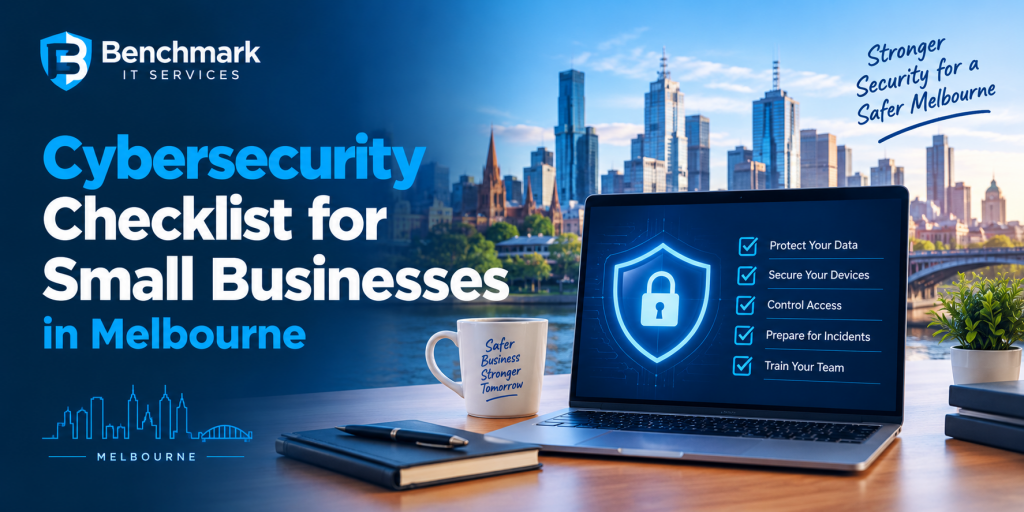
Cybersecurity is no longer something only large organisations need to worry about. Small businesses in Melbourne also face phishing, ransomware, account compromise, malware and other cyber threats that can disrupt daily operations and expose important business information.
The good news is that many common security weaknesses can be addressed through practical measures. A structured cybersecurity checklist can help business owners identify gaps and prioritise improvements before an incident occurs.
- Protect All Business Accounts
Business accounts are often a direct target for attackers. Email, cloud applications, accounting platforms and other online services should be protected with strong authentication.
Businesses should check whether:
- Strong, unique passwords are being used
- Multi factor authentication is enabled
- Former employees no longer have access
- Administrator privileges are limited
- Shared accounts are avoided where possible
- Unused accounts are removed
Access should match each employee’s responsibilities. Giving users more permissions than they need can increase the potential impact of a compromised account.
- Keep Software and Devices Updated
Outdated software can create security weaknesses that attackers may exploit.
Small businesses should maintain a regular update process for:
- Operating systems
- Business applications
- Web browsers
- Network equipment
- Security software
- Mobile devices
- Servers and other business systems
Automatic updates can be useful, but businesses should also have visibility into whether important devices are actually receiving updates.
- Secure Business Email
Email remains one of the most common ways attackers target businesses.
Employees may receive messages designed to steal passwords, install malware or convince them to make fraudulent payments.
Businesses should consider appropriate email security controls and ensure employees know how to identify suspicious messages.
Be particularly cautious about unexpected requests involving:
- Bank account changes
- Urgent payments
- Password resets
- Confidential documents
- Gift cards
- Unusual login links
- Train Employees Regularly
Even strong technical security can be undermined by an employee accidentally clicking a malicious link or sharing credentials with an attacker.
Cybersecurity awareness training should help employees recognise phishing, social engineering, suspicious attachments and fraudulent requests.
Training should not be treated as a one time activity. Regular reminders and practical examples can help employees remain aware of changing threats.
- Create a Reliable Backup Strategy
Important business data should be backed up regularly.
Backups can help businesses recover from ransomware, accidental deletion, hardware failure and other incidents.
Your checklist should include:
- Regular backups of important data
- Protection of backup accounts
- Separate or isolated backup copies where appropriate
- Monitoring of backup jobs
- Regular restoration testing
A backup that has never been tested may not provide the recovery capability a business expects during an emergency.
- Protect Business Devices
Every laptop, desktop, mobile device and server connected to the business environment can represent a potential security risk.
Businesses should review whether devices have appropriate endpoint protection and whether security policies are being consistently applied.
Lost or stolen devices should also be considered. Screen locks, encryption and appropriate access controls can help reduce the potential impact if a device leaves the workplace.
- Review Network Security
Business networks should be properly configured and regularly reviewed.
Check that:
- Wi Fi networks are securely configured
- Default passwords have been changed
- Unnecessary services are disabled
- Network equipment receives security updates
- Guest access is separated where appropriate
- Remote access is properly secured
Businesses should also know which devices are connected to their network. Unknown or unmanaged devices can create unnecessary exposure.
- Check User Permissions
Not every employee needs access to every business system or file.
Review permissions regularly and remove access that is no longer required.
This becomes particularly important when employees change roles or leave the organisation.
A principle of least privilege can help limit what a compromised account can access.
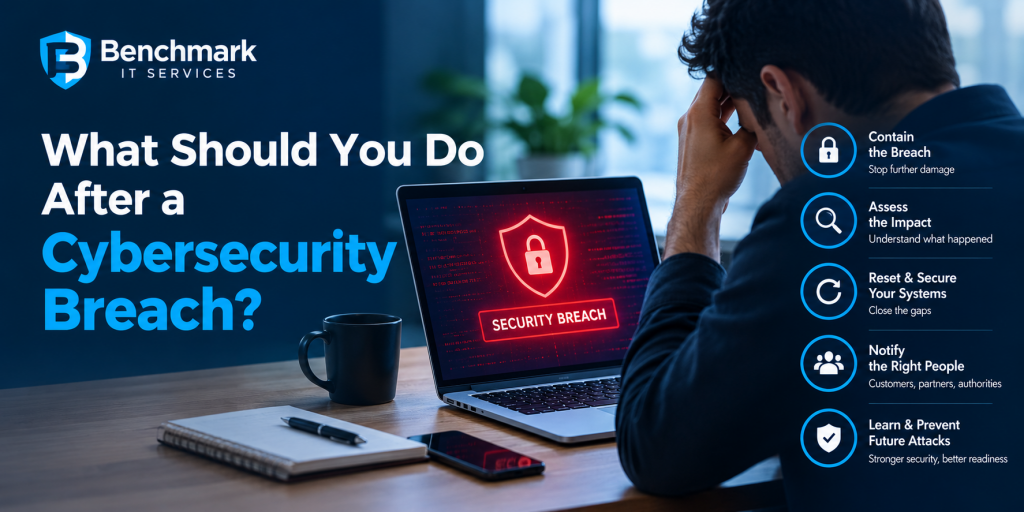
- Prepare a Cyber Incident Response Plan
A business should know what to do if an attack occurs.
Your incident response plan should identify:
- Who should be contacted first
- Who has authority to make important decisions
- How compromised accounts will be isolated
- How systems will be recovered
- Where important backups are located
- How customers or suppliers may need to be informed
- Which external specialists may need to be involved
Having this information available before an incident can help reduce confusion during a high pressure situation.
- Review Third Party Access
Small businesses often rely on accountants, software providers, IT providers, suppliers and other external organisations.
Third party access should be reviewed regularly.
Ask:
Who has access to our systems?
Why do they need access?
Is their access still required?
Are external accounts protected with strong authentication?
Reducing unnecessary third-party access can help minimize potential security exposure.
- Monitor for Suspicious Activity
Prevention is important, but businesses also need to identify unusual activity quickly.
Security monitoring can help detect suspicious login attempts, unusual account behavior, malware indicators, and other potential warning signs.
Early detection can give a business more opportunity to contain an incident before it becomes more serious.
- Review Your Cybersecurity Regularly
Cybersecurity is not a checklist that can be completed once and forgotten.
Businesses change. Employees join and leave, new software is introduced, devices are replaced, and attackers continue to develop new techniques.
A regular security review can help identify new weaknesses and confirm whether existing controls are still appropriate.
When Should You Work With a Cybersecurity Consultant?
Some businesses have the internal expertise to manage their cybersecurity requirements, while smaller organizations may have limited security knowledge or resources.
A cybersecurity consultant in Melbourne can help assess your current environment, identify security gaps, and recommend practical improvements based on your business needs.
Professional guidance can be particularly useful when a business is unsure where to start, has recently experienced a security incident or needs help developing a more structured security strategy.
The objective should not simply be to purchase more security products. A strong approach considers technology, employees, access controls, policies, monitoring, backups, and incident response together.
A Practical Cybersecurity Checklist
For a quick review, ask your business:
☐ Is multi factor authentication enabled for important accounts?
☐ Are passwords strong and unique?
☐ Have former employee accounts been removed?
☐ Are devices and applications regularly updated?
☐ Are important business files backed up?
☐ Have backups been tested?
☐ Are employees trained to recognise phishing?
☐ Are administrator permissions restricted?
☐ Are business devices protected?
☐ Is remote access properly secured?
☐ Are third party permissions reviewed?
☐ Is suspicious activity being monitored?
☐ Do you have an incident response plan?
If several answers are no, those areas should become priorities for improvement.
Build Security Before You Need It
Cybersecurity does not have to be complicated to be effective. Small businesses can reduce their exposure by putting basic security controls in place, regularly reviewing them, and making employees part of the security process.
For businesses that need additional expertise, working with a cybersecurity consultant in Melbourne can provide practical guidance on identifying vulnerabilities, improving security controls, and preparing for potential incidents.
The most effective cybersecurity strategy is proactive. Finding and addressing weaknesses before an attacker discovers them can help protect your systems, information, and business operations.